
Office Moving Checklist for Businesses in Ajax | Complete Relocation Guide
Moving an office is one of the most complex projects a business ever undertakes. Between keeping your team productive, protecting sensitive equipment, and ensuring nothing gets lost, the moving parts feel endless. Without a clear plan, important tasks slip through cracks—elevator reservations forgotten, IT connections mismanaged, critical files misplaced. But with the right checklist, chaos transforms into coordinated action. This comprehensive office moving checklist for businesses in Ajax walks you through every phase, from initial decision to final setup, so nothing gets missed.
Why a Checklist Makes or Breaks Your Office Move
Here’s what happens without a checklist: week one feels productive. You’re making lists, calling movers, feeling organized. Week two, tasks start falling through. Someone forgot to notify clients. The internet installation isn’t scheduled. Department labeling never happened. By move week, you’re firefighting instead of finalizing.
A proper business relocation checklist Ajax managers swear by does more than list tasks—it sequences them. Some things must happen before others. You can’t label cables before you have a labeling system. You can’t schedule movers before you know your move date. A good checklist respects dependencies, so you’re always working on what matters now, not scrambling later.
8 Weeks Out – The Foundation Phase
The Reality: Eight weeks before your move feels early, but it’s actually the perfect time to build your foundation. Commercial moving checklist Ajax professionals recommend starting here.
Your 8-week tasks:
- Form a moving committee: Designate one point person and key department representatives. Clear leadership prevents confusion.
- Establish your budget: Review office relocation steps Ajax costs—movers, potential downtime, new space setup, technology upgrades. Get leadership approval early.
- Tour potential movers: Invite corporate office move plan Ajax providers for walkthroughs. Get detailed quotes comparing services, not just prices.
- Create a floor plan for your new space: Map where every desk, office, and shared space belongs. This guides everything else.
- Review lease and building requirements: Check move-in rules, elevator reservations, insurance requirements, and loading dock access at your new location.
The Bottom Line: Eight weeks out, you’re not packing—you’re planning. Every hour invested now saves three hours of chaos later.
6 Weeks Out – The Planning Deepens
With foundation laid, planning gets more specific.
Technology assessment begins now. Meet with your IT team or provider. Document every piece of technology moving—servers, computers, printers, phones, network equipment. Create a complete inventory. Discuss office equipment relocation guide Ajax requirements for sensitive electronics. Schedule internet and phone service installation at your new location—providers often need 4-6 weeks notice.
Department heads should review the new floor plan and confirm their team’s layout. Changes now are easy. Changes two weeks before move day create chaos. Collect input, resolve conflicts, and finalize the official seating plan.
Supply ordering happens now. Boxes, tape, labels, markers, stretch wrap, furniture pads—order everything you’ll need. Running out of supplies mid-pack stops momentum cold.
Section 5: 4 Weeks Out – Communication and Coordination
This is when your move becomes real for everyone in the company.
Your 4-week checklist:
- Announce the move : Share the timeline, what to expect, and how they can help. Regular updates reduce anxiety and increase cooperation.
- Assign department move coordinators: One person per team responsible for communicating with the central committee and ensuring their area is ready.
- Begin non-essential packing: Start with archives, seasonal items, storage rooms, and rarely-used files. Label everything clearly by department and destination.
- Order new furniture or equipment: If you’re buying anything new, order now. Supply chain delays are real.
- Coordinate with building management: Confirm elevator reservations, loading dock access, and any move-in requirements at both locations.
- Schedule moving dates with your chosen professional office moving guide Ajax provider: Lock in your dates, especially if you need after-hours or weekend scheduling.
The Key Insight: Office move planning tips Ajax experts emphasize communication above all. A well-informed team is a cooperative team. Surprises create resistance.
2 Weeks Out – The Detailed Preparation
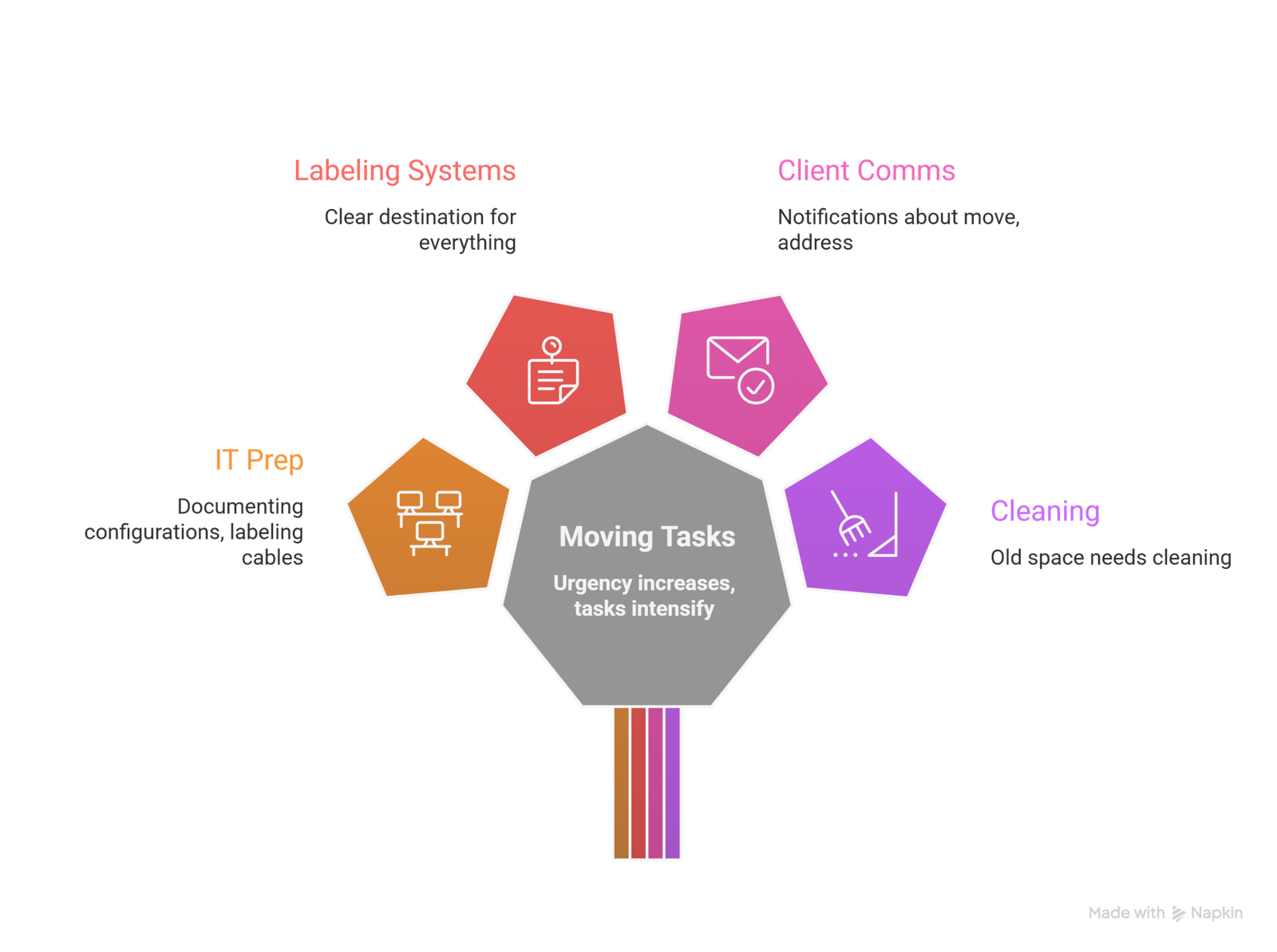
The countdown is real now. Every task has urgency.
Technology preparation intensifies. Your IT team should begin documenting network configurations, labeling all cables and ports, and planning server disconnection and reconnection sequences. IT equipment moving checklist Ajax items include backing up all data—twice—and testing backups.
Finalize labeling systems. Every box, every piece of furniture, every cable should have a clear destination. Color coding by department speeds setup dramatically.
Communicate with clients and vendors. Send notifications about your move, any service interruptions, and your new address. Update your website, social media profiles, and directory listings.
Arrange for cleaning at both locations. Your old space may need professional cleaning for lease compliance. Your new space may need pre-move cleaning.
Move Week – The Final Countdown
The week before move day is for confirmation and preparation.
Three days before:
- Confirm arrival times with your commercial movers checklist Ajax provider
- Distribute final instructions to all employees
- Ensure all personal items are removed from workspaces
- Complete any remaining packing
One day before:
- Do a final walkthrough of your current space—open closets, check under desks, look in every corner
- Take photos of existing setups for reference
- Prepare a “open first” box with essentials for your first day—office supplies, snacks, basic tools
- Ensure all technology is backed up and ready for disconnection
Move day:
- Be present but out of the way
- Have your floor plan ready to direct movers
- Keep your phone charged and accessible
- Stay calm—you prepared for this
Why Ajax Movers Makes Your Office Relocation Effortless
At Ajax Movers, we’ve spent over 15 years helping local businesses move successfully. We don’t just provide trucks and labor—we provide the expertise that turns your checklist into reality. Our crews understand office environments, from IT equipment protocols to modular furniture systems. We offer after-hours scheduling, transparent pricing, and the 97% satisfaction rate that comes from treating every business move like our own.
When you choose us, you’re not just hiring movers. You’re partnering with a team that’s been part of hundreds of successful office relocation timeline Ajax executions.
👉 Get Your Free Office Moving Quote from Ajax Movers
Ready to check every box on your office moving list? Contact us today and let’s plan your smooth, stress-free relocation.
Top 5 FAQs About Office Moving Checklists in Ajax
When should I start using an office moving checklist?
Start immediately upon deciding to move. Eight weeks before your target date is ideal for most offices. Larger moves need 12+ weeks. Even if you’re behind, starting now beats starting later.
What’s the most commonly missed checklist item?
Elevator and loading dock reservations. Businesses plan everything internally but forget building logistics, then discover on move day that no elevator is available. Reserve early, confirm again one week before.
Should employees pack their own workspace?
Only for personal items. Professional business moving preparation Ajax includes having trained movers handle office equipment, files, and furniture. Employee-packed boxes often lack proper labeling and protection.
How detailed should my labeling system be?
Very detailed. Each box should show destination room, department, and a brief contents list. Color coding by floor or department speeds delivery. “Kitchen – Mugs” beats “Misc Kitchen” every time.
What’s the biggest mistake businesses make with moving checklists?
Creating the checklist but not assigning responsibility. A list without owners is just wishes. Every task needs a person accountable for completion.